Self-Hosted MCP Server Homelab: One Endpoint for Your Ops
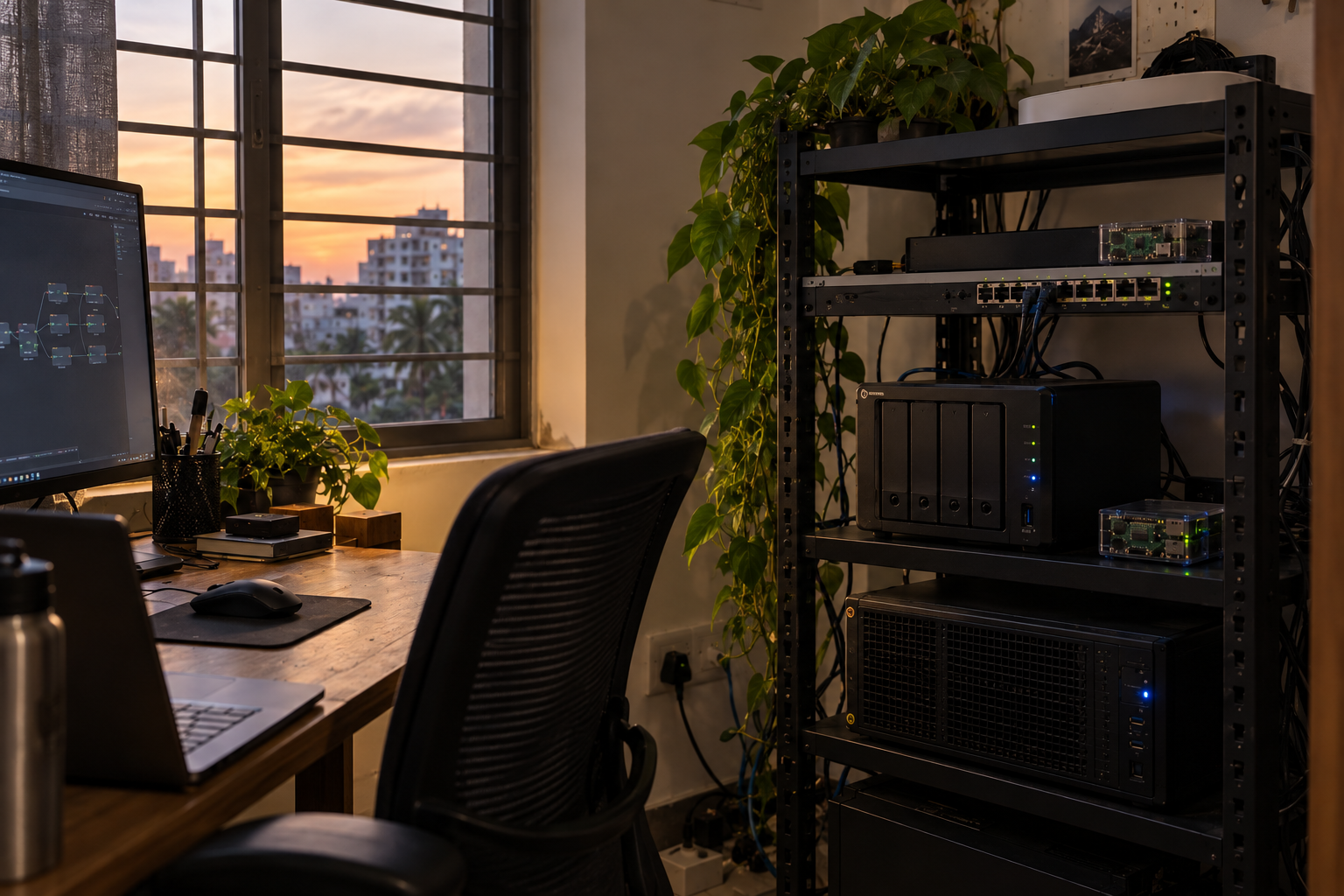
A self-hosted MCP server homelab setup gives one AI agent a single doorway into everything you run — your hypervisor, your automations, your smart-home stack — without shipping any of it to someone else's cloud. This matters now because in December 2025 Anthropic donated the Model Context Protocol (MCP) to the Linux Foundation, turning it into a neutral, community-governed standard rather than one vendor's format. For founders and tinkerers running their own hardware, that's the green light to build agent tooling that won't be orphaned next quarter.
What actually changed in December 2025
MCP started as an Anthropic project: a common way for AI agents to discover and call tools. The problem with any single-company standard is obvious — you build on it, and its future depends on that company's roadmap.
That changed when the Linux Foundation announced the formation of the Agentic AI Foundation and MCP became one of its hosted projects. The governance is now vendor-neutral, with backing from AWS, Google, Microsoft and OpenAI alongside Anthropic. In plain terms: the protocol you wire into your infrastructure today is maintained in the open, by a body whose whole job is keeping shared infrastructure alive. For self-hosters, that removes the biggest reason to hesitate — betting your ops tooling on a format that might get quietly deprecated.
Why build a self-hosted MCP server homelab
Through 2026, a pattern has spread across r/selfhosted, dev.to and YouTube: people are running a dedicated homelab MCP server that exposes their services to an AI agent through one endpoint. Instead of teaching an agent five different APIs, you teach it MCP once, and it can reach everything behind that server.
The commonly exposed services look like this:
- Proxmox — list VMs and containers, check resource usage, start or stop a machine
- Home Assistant — read sensor state, trigger automations, control devices
- n8n — kick off or inspect workflows, so the agent can hand work to your existing automations
- Docker / system health — container status, disk space, service uptime
One community example, the "homelab" MCP server catalogued on LoboHub, bundles exactly this kind of infrastructure access behind a single MCP interface. The appeal for a small team is that the agent stops being a chatbot and starts being an operator: "spin down the staging VM overnight," "tell me which container is eating the disk," "run the nightly backup workflow and confirm it finished."
If you've already built a customer-facing automation — say a self-hosted WhatsApp AI agent for Indian SMBs — an MCP server lets the same class of agent reach inward and run the infrastructure that automation depends on.
One endpoint to run the whole stack
Here's the mental model. Your agent doesn't hold credentials for Proxmox, Home Assistant and n8n separately. It holds one connection — to your MCP server — and the MCP server holds the real credentials and decides what's allowed.
That single choke point is the whole advantage. Compare the two shapes:
| Approach | Where credentials live | Adding a new service | Auditing agent actions |
|---|---|---|---|
| Agent talks to each API directly | Scattered across the agent config | Re-teach the agent a new API | Check each service's logs separately |
| Agent talks to one MCP server | Centralised on your server | Add one MCP tool definition | One log, every call in it |
The right column is why the homelab crowd converged on this. You get one place to add capabilities, one place to revoke them, and one place to see what the agent actually did.
Least-privilege guardrails: do this before you connect anything
An agent that can call your infrastructure can also break it. The self-hosted advantage is that you set the limits — so set them deliberately.
- Scope every tool narrowly. Expose "list VMs" and "check disk" freely; gate "delete VM" or "restart host" behind an explicit confirmation step. Don't hand the agent a tool you wouldn't hand a new intern on day one.
- Run the MCP server as a low-privilege user. It should have exactly the access its tools need and nothing more. If a tool only reads Home Assistant state, its token should be read-only.
- Keep the endpoint off the public internet. Reach it over your LAN or a private overlay network (WireGuard, Tailscale). An MCP server that controls your hypervisor has no business being exposed to the open web.
- Log every call and review them. Because everything funnels through one server, you get a complete audit trail for free. Read it, especially in the first weeks.
- Require human confirmation for destructive actions. Let the agent propose "stop the staging VM," but make a person approve it. The friction is the point.
None of this is exotic — it's the same least-privilege thinking you'd apply to any service account. MCP just makes it easier because there's one server to harden instead of five.
A sensible starting point
You don't need to expose your whole stack on day one. A pragmatic first build:
- Stand up an MCP server on a small VM or container on your own hardware.
- Add two or three read-only tools first — Proxmox status, disk usage, container health.
- Point your agent at the endpoint over a private network and use it purely for questions for a week.
- Once you trust the audit log, add one scoped write action — say, triggering a specific n8n backup workflow — with confirmation required.
That progression gives you the operator experience with almost no blast radius, and it grows exactly as fast as your trust in it does.
Frequently asked questions
What is a self-hosted MCP server?
It's a service you run on your own hardware that exposes your tools — Proxmox, Home Assistant, n8n and more — to an AI agent through one standard endpoint. The agent talks MCP once instead of learning each service's API. You keep the data and the access rules on your side.
Is MCP an open standard now?
Yes. In December 2025 Anthropic donated the Model Context Protocol to the Linux Foundation's new Agentic AI Foundation, making it vendor-neutral. The effort is backed by AWS, Google, Microsoft and OpenAI, so MCP is no longer tied to a single company.
How do I keep an AI agent from breaking my homelab?
Give it least privilege. Scope each MCP tool to read-only or narrow write actions, run the server as a low-privilege user, and require confirmation for destructive operations. Log every call so you can audit what the agent did.
Do I need cloud AI to use MCP?
No. MCP defines how an agent and your tools talk, not where the model runs. You can point a local model or a hosted one at your self-hosted MCP endpoint. The endpoint and your services stay on your hardware either way.
Get in touch
If you're weighing a self-hosted MCP setup for your own hardware and want a second pair of eyes on the design or the guardrails, reach out. Happy to talk through what fits your stack.